
Review on your phone wherever you are
Review the receipts NextiaTax has read, fix anything it got wrong, approve them, and settle possible duplicates, all from the NextiaTax app.
- 9 steps
- About 2 min
- Checked against NextiaTax on October 22, 2026
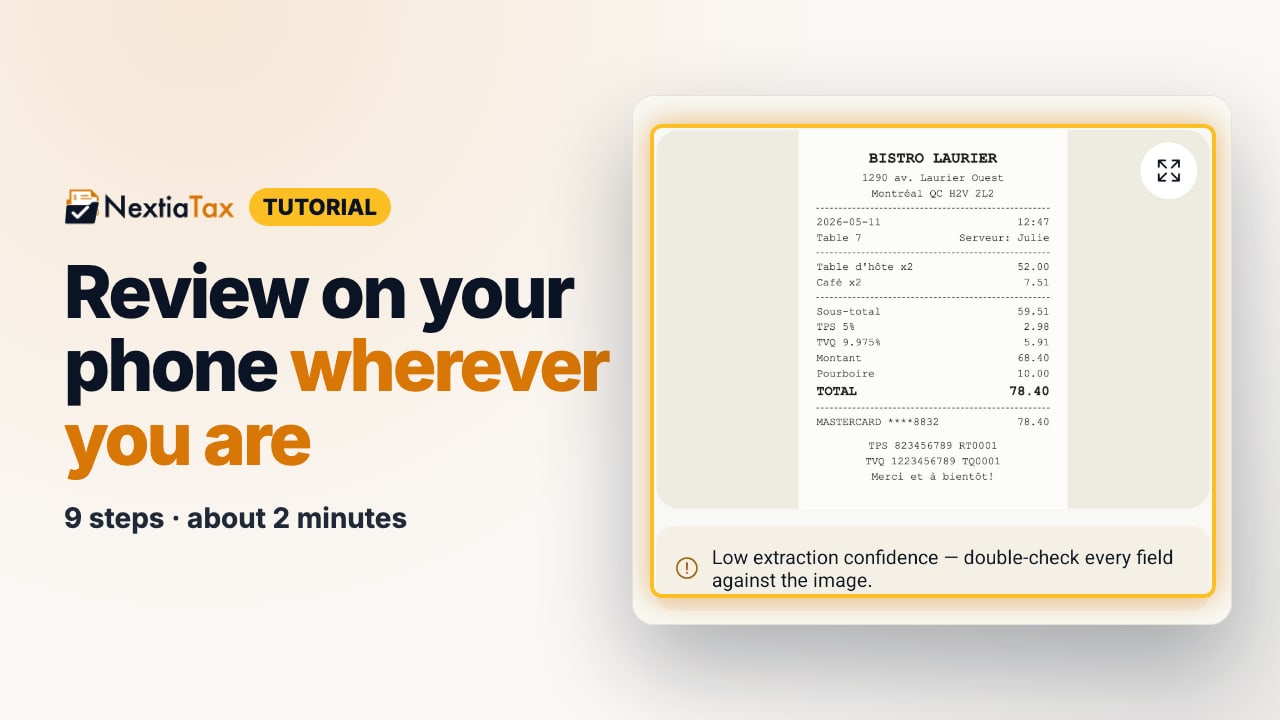
The video is on its way. The step-by-step and written versions are ready now.
- 1
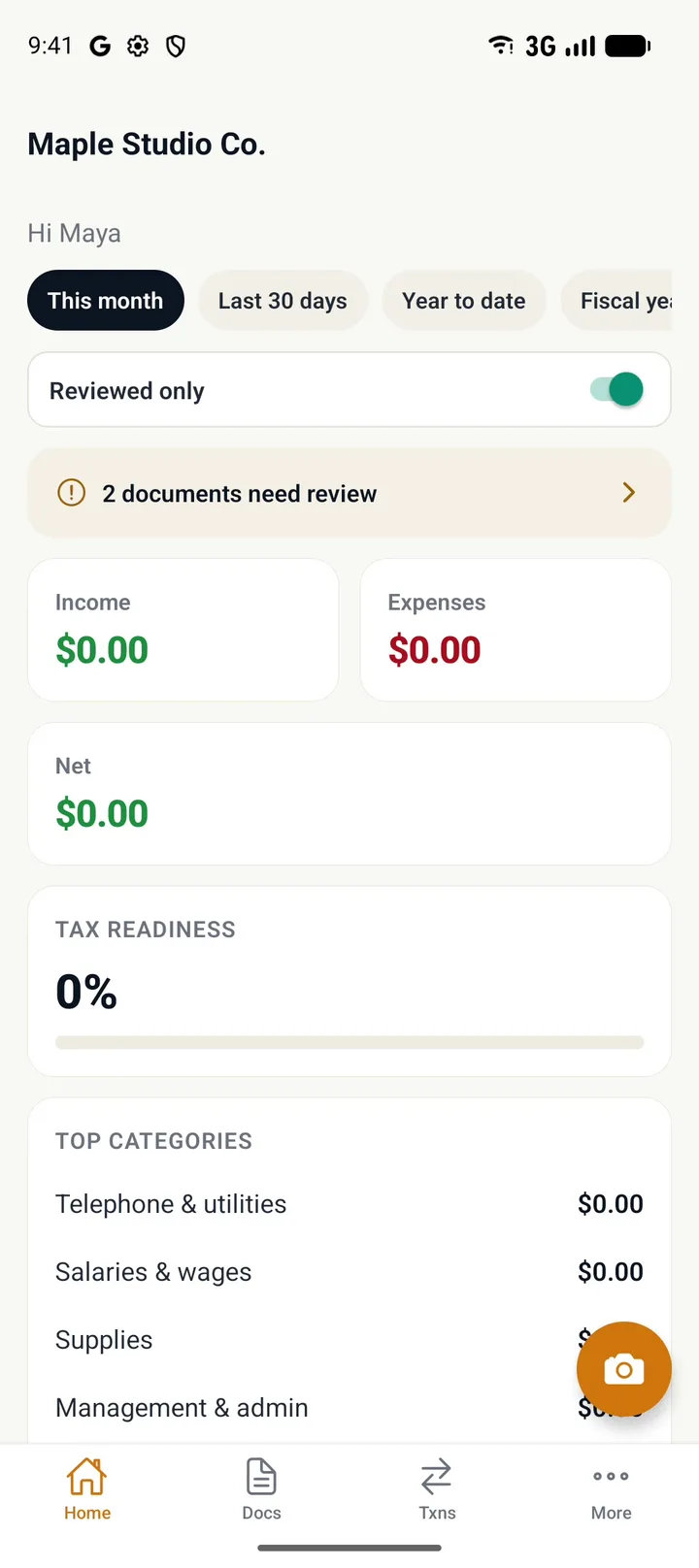
On Home, tap the banner of documents that need review.
- 2
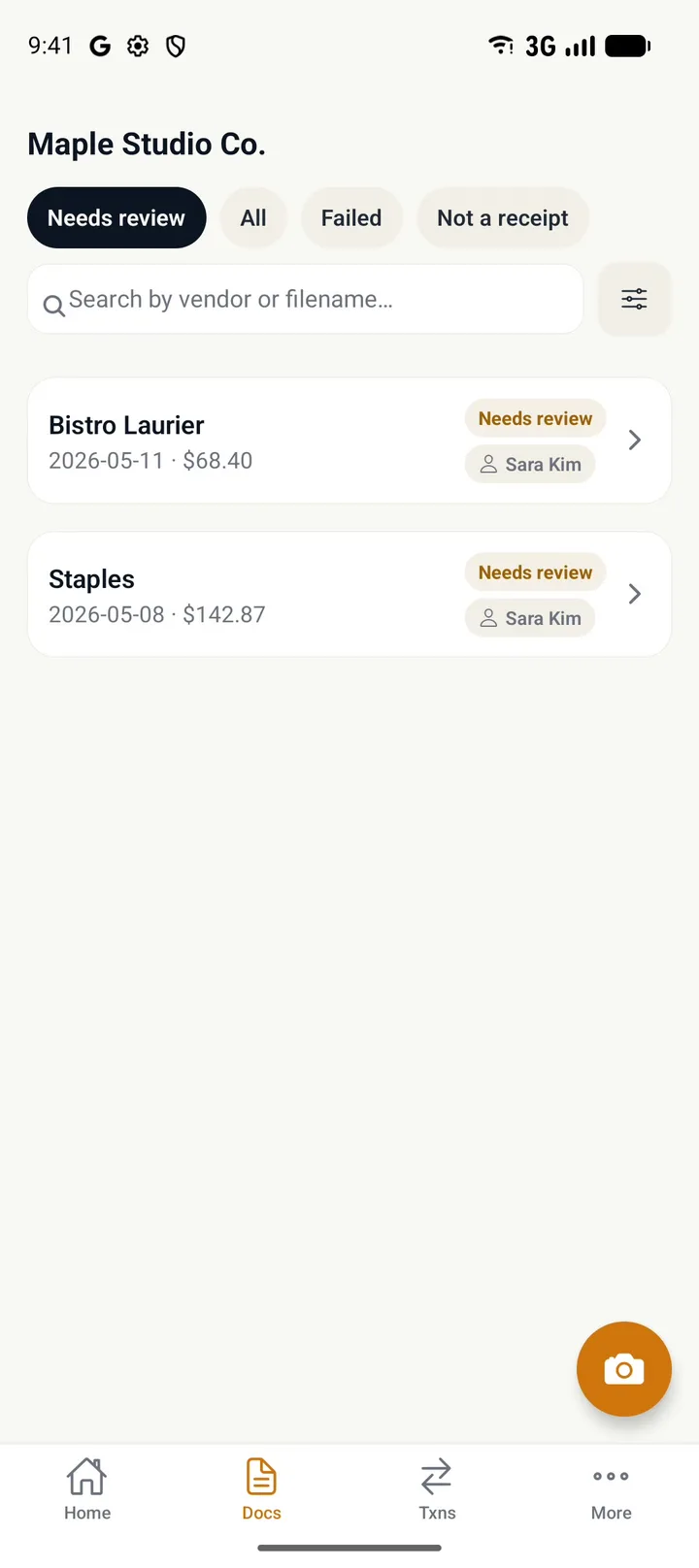
Tap a document to open it.
- 3
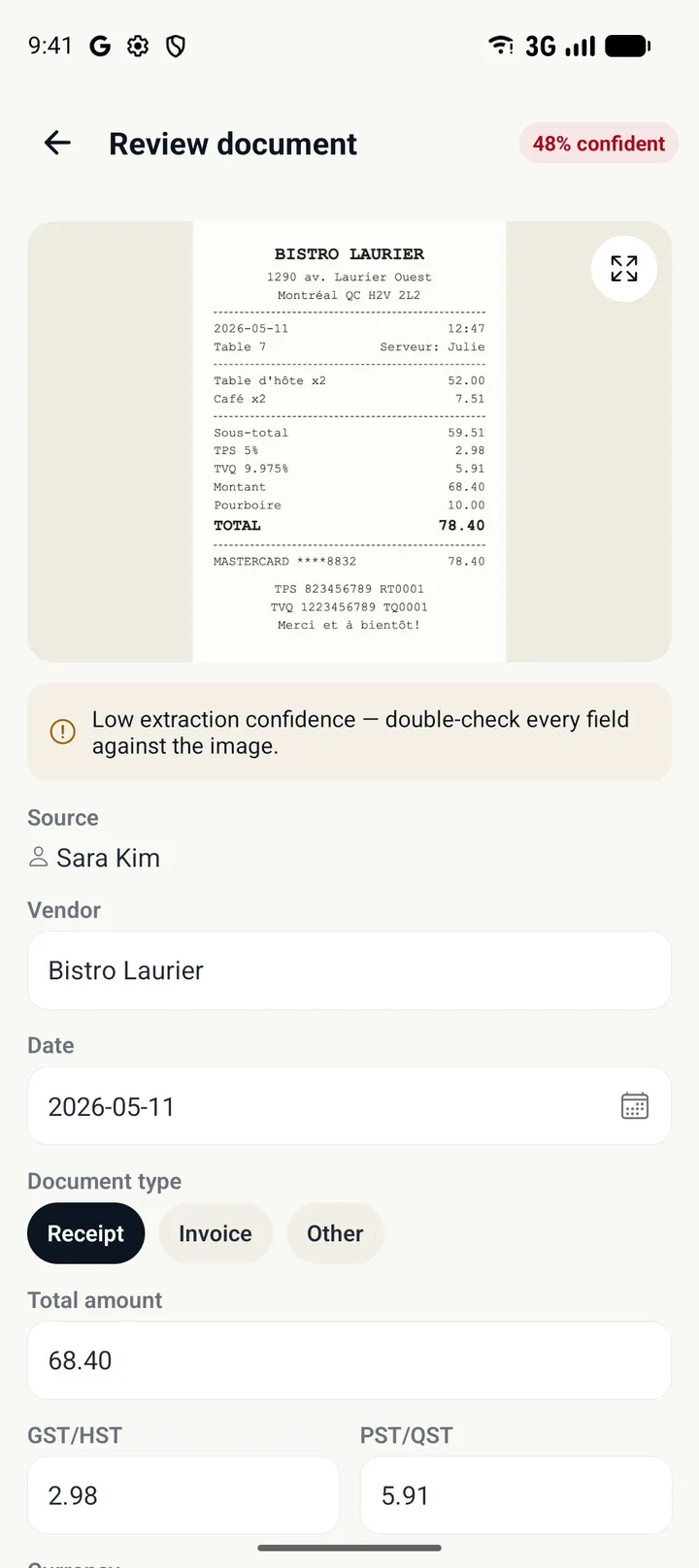
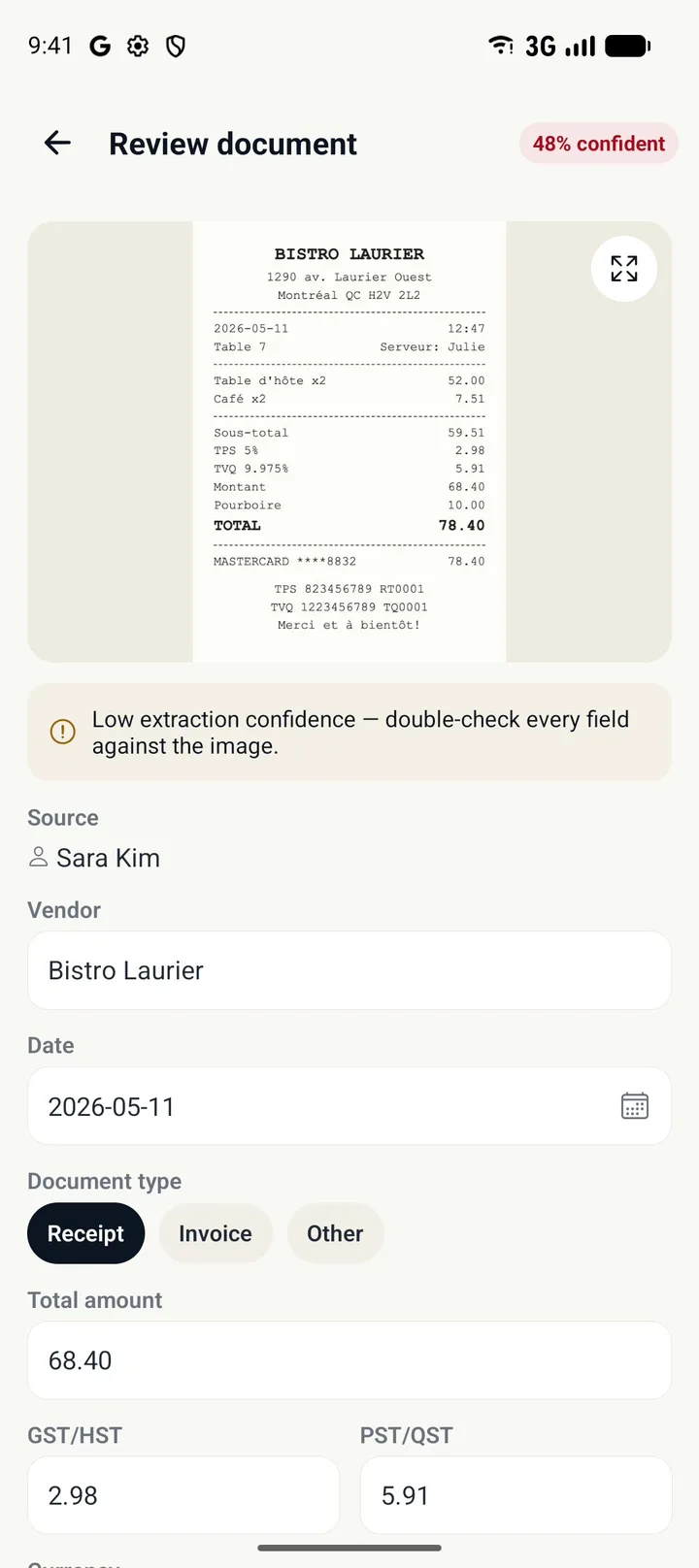
Compare the fields with the receipt above them.
On a low-confidence read, check every field.
- 4
Correct any field that's wrong.
Here the Total amount missed the tip.
- 5
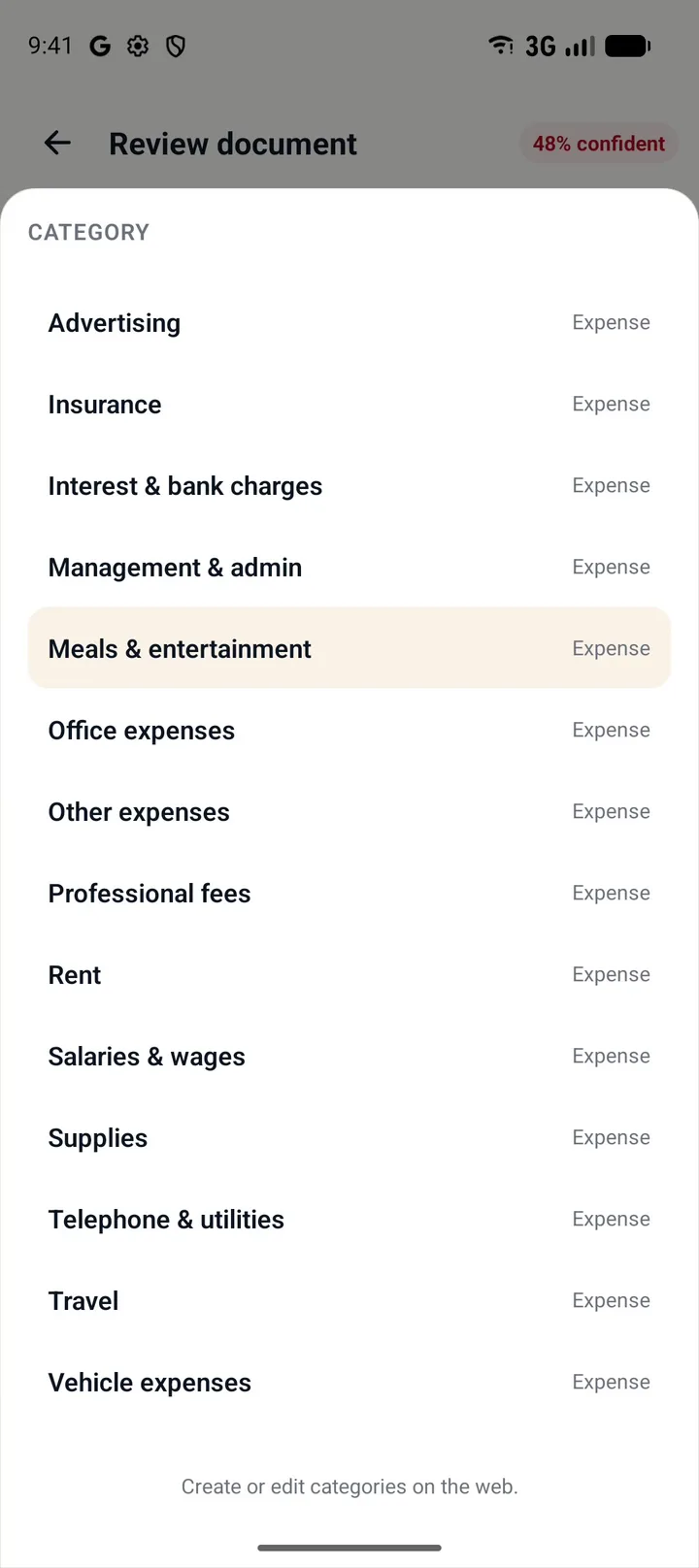
Check the Category.
Tap it to see every category and change it.
- 6
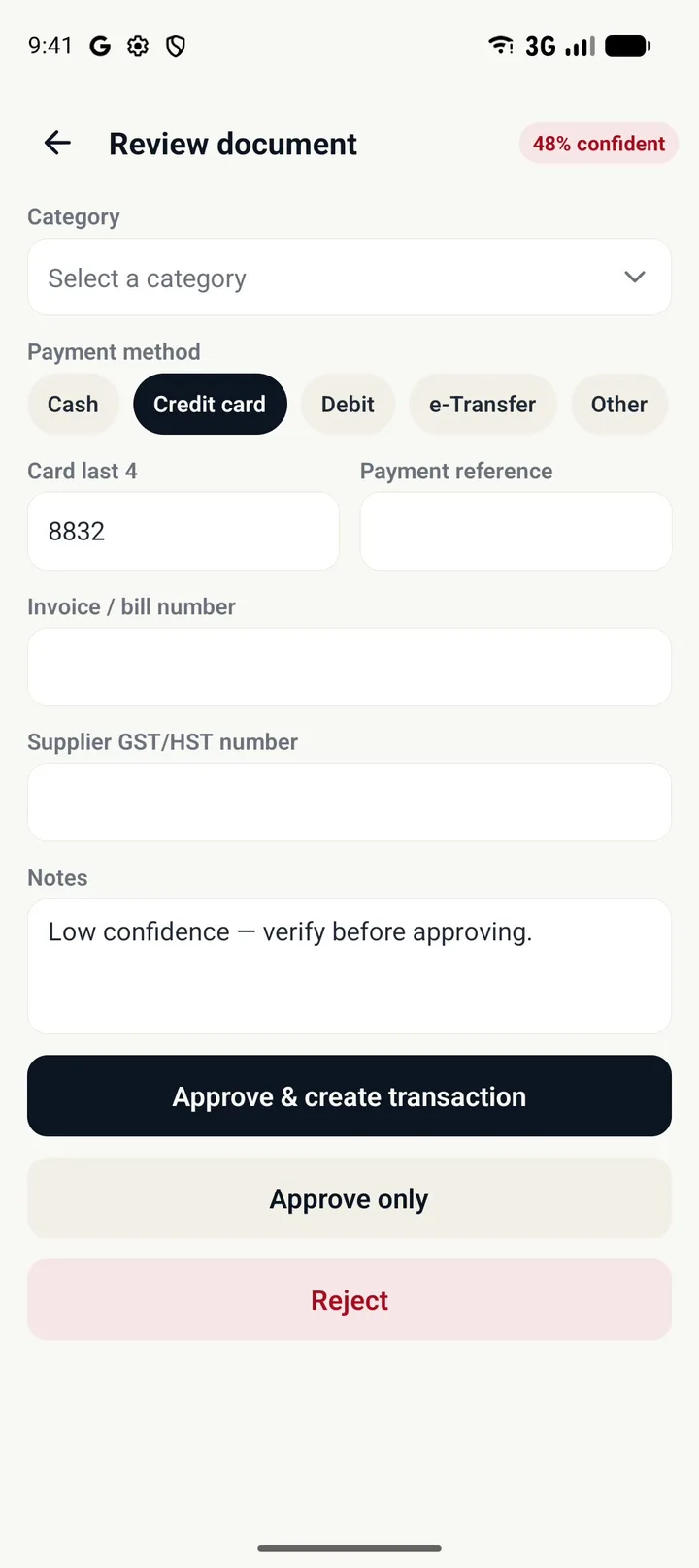
Tap Approve & create transaction.
The receipt stays attached to the transaction.
- 7
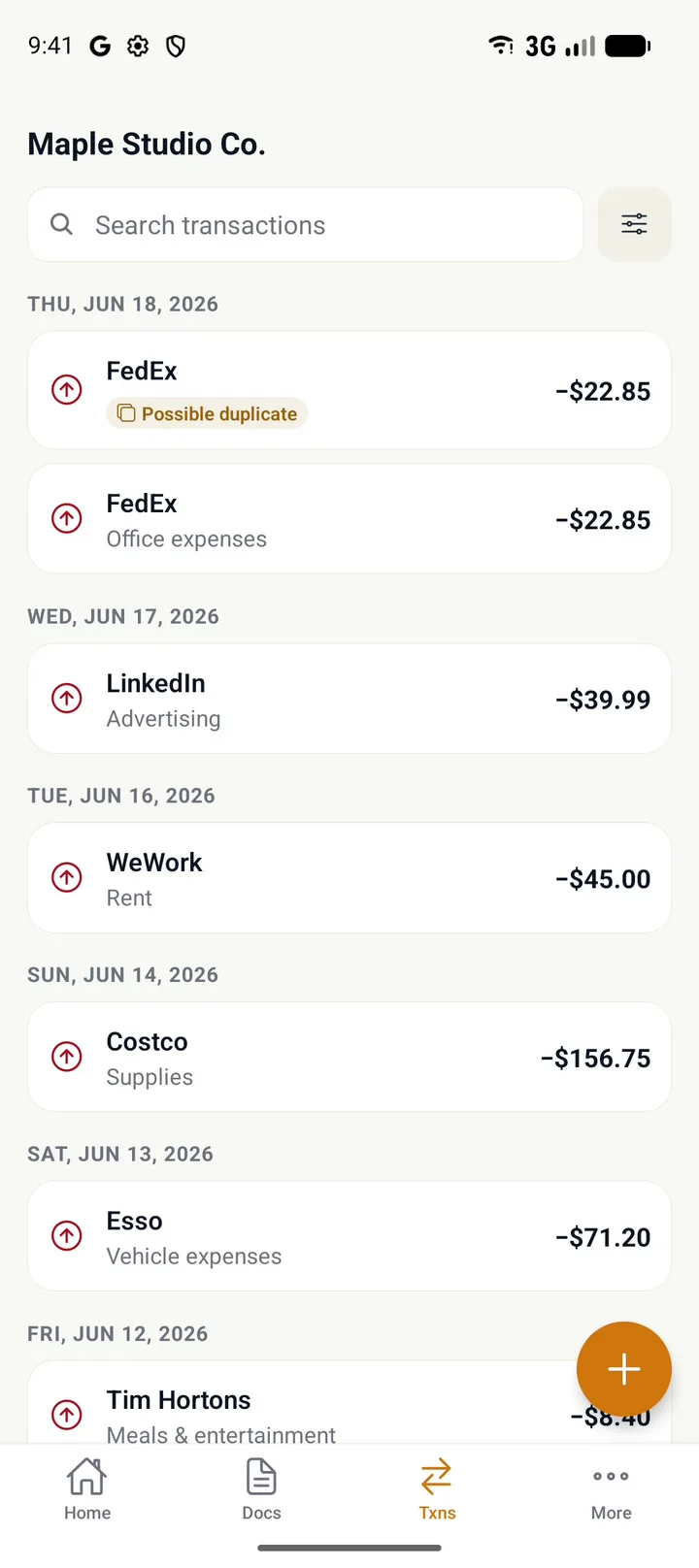
In Txns, tap Review on a Possible duplicate.
- 8
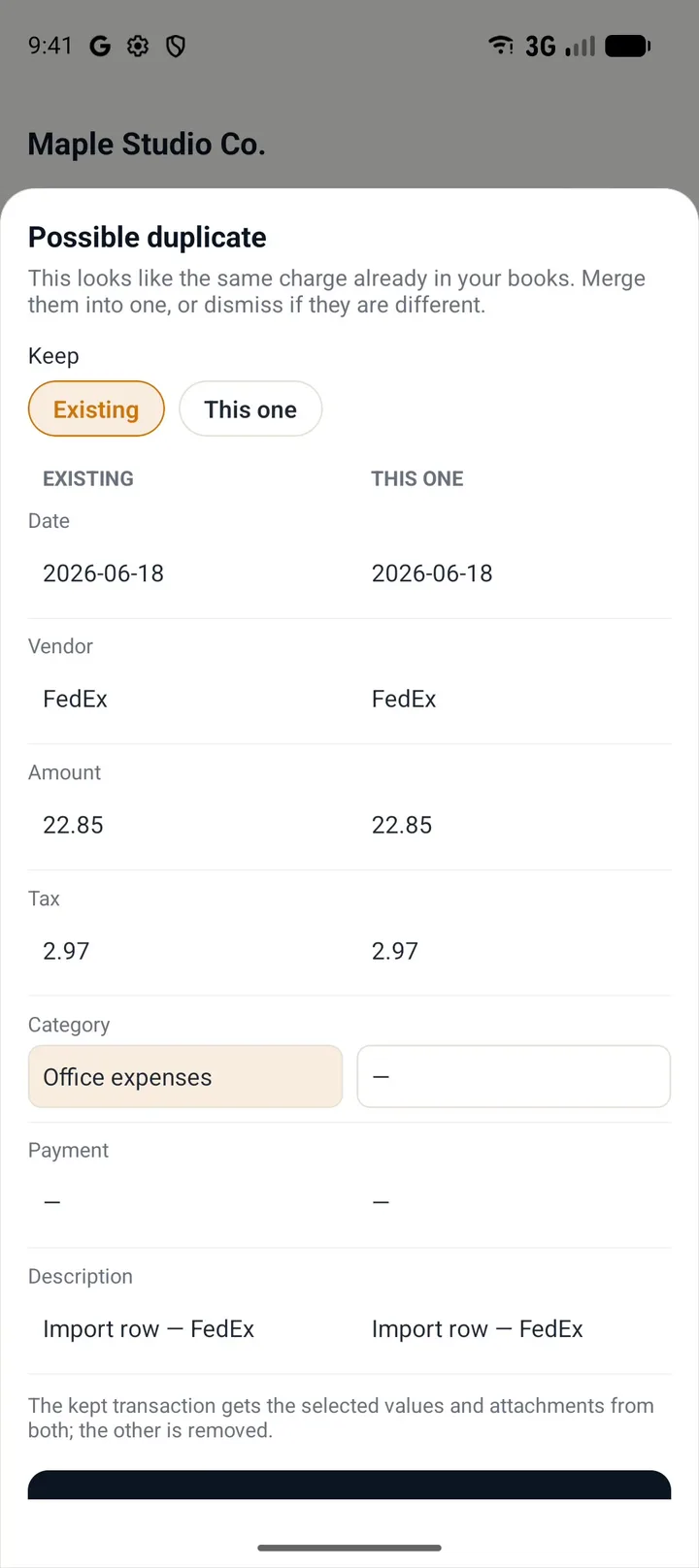
Compare them side by side and pick the values to keep.
- 9
Tap Merge into one.
Not the same charge? Tap Not a duplicate instead.
Review on your phone wherever you are
Before you start
- Install the NextiaTax app and sign in with the same account you use on the web.
- Reviewing needs a role that can review documents: Owner, Admin, Manager, Accountant or Bookkeeper.
Steps
- On Home, tap the banner of documents that need review.
- Tap a document to open it.
- Compare the fields with the receipt above them. On a low-confidence read, check every field.
- Correct any field that's wrong. Here the Total amount missed the tip.
- Check the Category. Tap it to see every category and change it.
- Tap Approve & create transaction. The receipt stays attached to the transaction.
- In Txns, tap Review on a Possible duplicate.
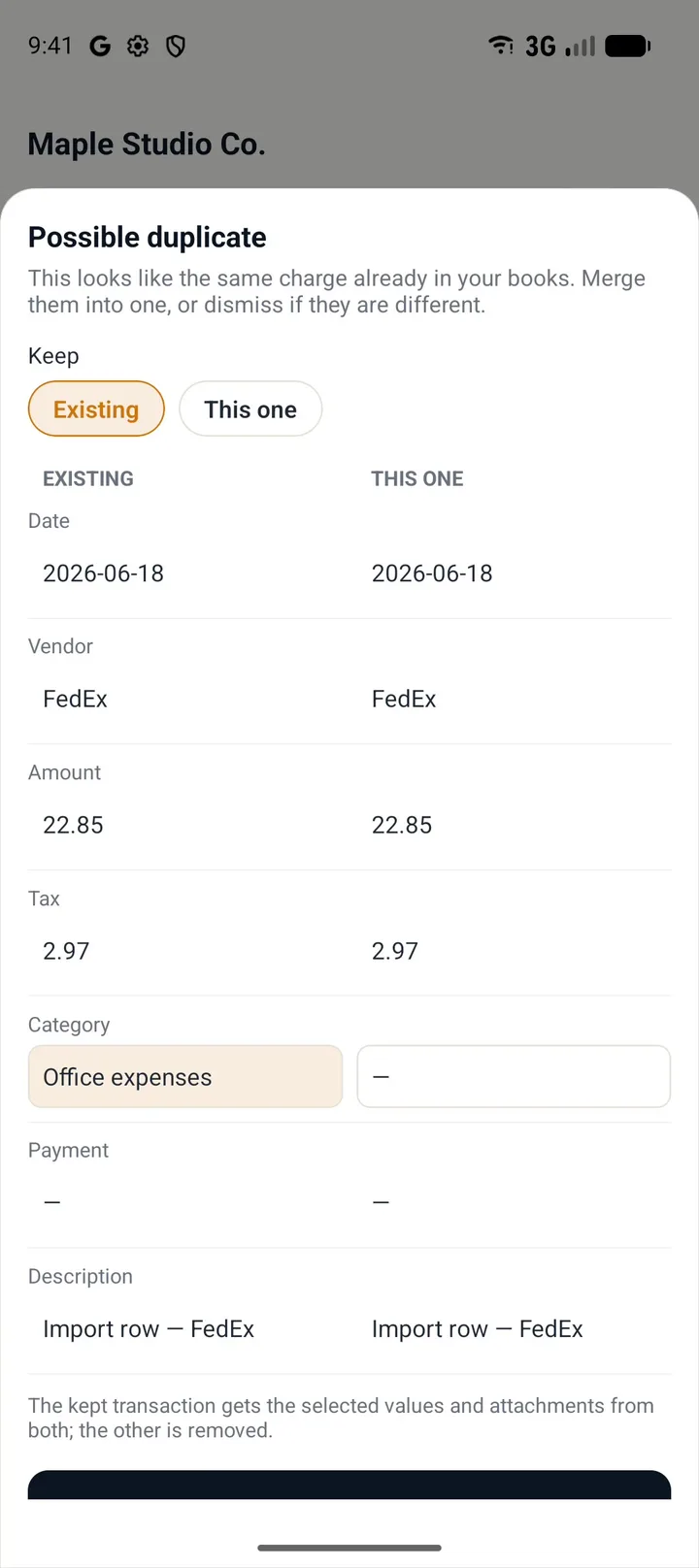
- Compare them side by side and pick the values to keep.
- Tap Merge into one. Not the same charge? Tap Not a duplicate instead.
Tips
- Tap the expand button on the receipt to see it full screen when the print is small.
- Not a business expense? Tap Reject instead of approving.
If something goes wrong
- The banner doesn't show on Home. Nothing is waiting for review. New receipts appear there once NextiaTax has read them.
- There is no Review button on a transaction. Only transactions flagged as a Possible duplicate have one.